
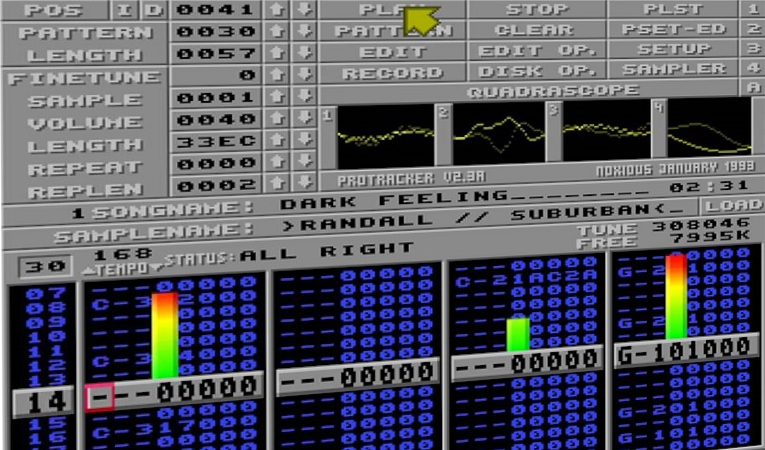
CoolModFiles, but not just random
I’ve been a quiet user of CoolModFiles.com for years. It’s a tiny web player that grabs a random MOD file from modarchive.org and plays it. No login, no library, no algorithm — just a play button and a wave of nostalgia from the Amiga and PC tracker scene. The README says “no black magic involved” and that’s exactly the appeal: a digital amplifier for a corner of the demoscene most people never knew existed.
The thing is, after the hundredth random track, I started wanting agency. Sometimes I wanted to browse Most Downloads. Sometimes I wanted a specific artist’s back catalogue. Sometimes I wanted to point it at my own mod collection on a server and play it through the same beautiful UI. I had an itch.
So I spent a chunk of my private Claude AI budget on a fork. Opus 4.7 and I worked through it over a couple of weeks of evenings. The patches are now in no42-org/CoolModFiles, and the easiest way to describe them is in three layers.
Before the patches, the confession: I did this because I love this tool. Spending personal Claude tokens on a niche tracker-music player is not a high-ROI activity. That is precisely the point.
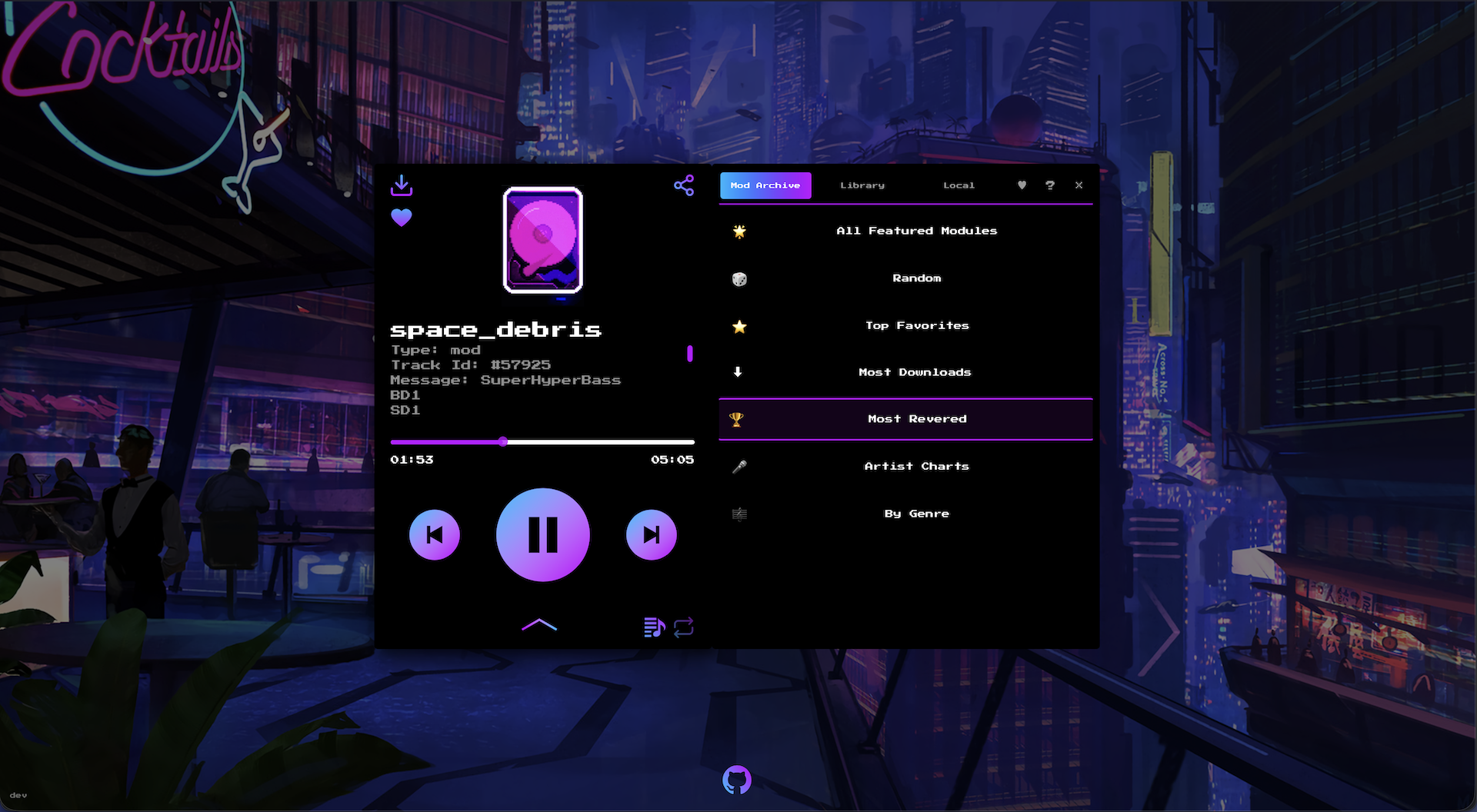
Here is how it looks like now.
Layer 1: modernize the stack
Before adding anything, I wanted to stand on something solid.
The original codebase was JavaScript with allowJs: true.
Over a series of phases I migrated it to TypeScript, ending with strict: true and allowJs: false.
Hooks, utilities, the icon components, the player’s imperative API, every route — typed end to end.
The migration caught at least two latent bugs along the way: a dead newestOnTop toast option that react-toastify had been silently ignoring for years, and a closure-capture in useKeyPress where targetKey was captured on the first render and never rebound when the prop changed.
The kind of thing TypeScript exists to surface.
Then next.config.js became next.config.ts, finishing the JS → TS conversion across the entire source tree.
Layer 2: redesign the source picker
The original UI had three top-row tabs (Random, Library, Local) and switching to “Random” played a new track immediately — a coupling that fought you whenever you wanted to just look around without committing.
I moved everything into a right-side drawer.
One launcher (the ≡ button on the player face), five tabs (Mod Archive, Library, Local, Favorites, Help), no surprise playback on tab switches.
The drawer is responsive: below 1440px viewports it overlays the player; at 1440px and up it slides into the right half of an expanded wrapper and the whole combo re-centres so the player doesn’t drift off-axis.
A small VersionLabel now lives in the bottom-left corner — git describe --tags --abbrev=0 baked in at build time, with an env-var fallback for Dockerized builds where .git isn’t present.
Tiny detail, but it’s the kind of thing that makes self-hosting feel like a real release rather than a :latest shrug.
Layer 3: actually browse Mod Archive
This is the part I really wanted. The drawer’s old “Random” tab became “Mod Archive” — a drill-in menu instead of a single button:
- 🎲 Random — the original behaviour, still one click away
- 🌟 All Featured Modules — paginated
- ⭐ Top Favorites — scraped from
view_top_favourites - ⬇ Most Downloads —
view_chart&query=tophits - 🏆 Most Revered —
view_chart&query=topscore - 🎤 Artist Charts — drills into an artist’s full upload list
- 🎼 By Genre — grouped index of categories (Alternative, Electronica, …); tap a genre to see its mods
Everything is paginated (Prev / page X of Y / Next), everything is cached for 24 hours in a module-level in-memory cache shared across the app’s request handlers, and the upstream scraper has a distinct User-Agent and no retries — politeness matters when you’re piggybacking on someone else’s hosting bill.
The n hotkey is chart-aware: it walks the visible page of whichever chart you picked from, with modulo loop at the end.
And because Mod Archive isn’t the only place mod files live, there’s a proper Library mode.
Set LIBRARY_ROOT in the container env, mount your collection at /library:ro, and the Library tab appears in the drawer with search, browse, pagination, playback.
A small scripts/test-library-security.sh exercises path traversal protection and the extension allowlist; the :ro mount flag is defense-in-depth on top of a read-only API.
Browsing someone else’s archive is half the joy.
The other half is pointing the same player at your own dusty crate of .mod files — which is where self-hosting earns its keep.
Self-hosting
There’s a compose.yml in the repo that pulls the published multi-arch GHCR image and wires up Library mode with a read-only ./mods volume:
services:
  coolmodfiles:
    image: ghcr.io/no42-org/coolmodfiles:latest
    ports:
      - "3000:3000"
    environment:
      LIBRARY_ROOT: /library
      DOMAIN: https://your.domain
    volumes:
      - ./mods:/library:ro
docker compose up -d
Drop your mods in ./mods, point your browser at :3000, and you’ve got a private CoolModFiles on your own box with your own collection alongside Mod Archive’s catalogue.
MOD, XM, S3M, IT, MPTM — anything libopenmpt can decode.
The :ro mount is load-bearing — the app’s API is read-only by design, but the kernel-level mount flag means a bug can’t accidentally write back to your archive.
None of this fork exists without the original.
@orhun, @wkfo and @bufgix built the player I’ve spent years pressing play on.
The patches in no42-org/CoolModFiles are additive — every chart, every drill-in, every typed prop sits on top of their work.
If you self-host this, you’re self-hosting their craft as much as mine.
Why bother
The honest answer: because I wanted to. Spending personal Claude tokens on a fork of a niche tracker-music player is not a high-ROI activity if you measure it that way. But I love this tool. I love that someone built it. I love that modarchive.org exists. I love that you can still, in 2026, write a few thousand lines of TypeScript and meaningfully extend a piece of demoscene infrastructure without anyone asking for an OKR.
The patches are public. The Docker image is on GHCR. The README has the recipes. If you’re an Amiga fan, a tracker-music nerd, or just curious what those four-letter file extensions sound like, clone it, host it, play with it.
Happy hacking.